Mobile networks are inherently unreliable. Whether your users are doctors inside hospital basements, field engineers on remote construction sites, passengers on airplanes, or commuters riding through transit tunnels, expecting an active internet connection for every screen tap creates frustrating user experiences.
Traditional mobile apps block user actions with spinning loaders while awaiting server responses. If the network drops, the action fails.
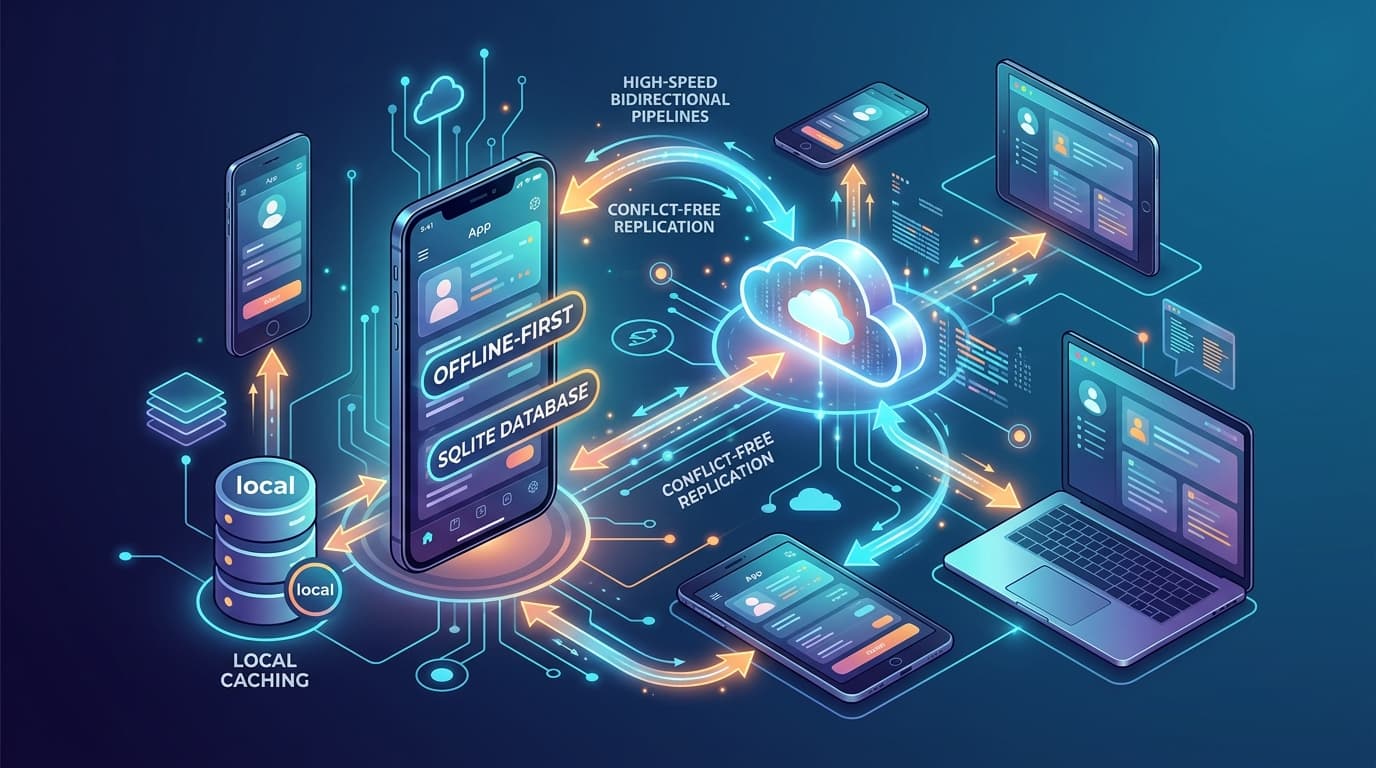
An Offline-First Architecture turns this model on its head: the local device database is the primary source of truth for the UI, while background synchronization handles communication with the cloud.
At WasTechno, we utilized this exact paradigm when engineering our flagship secure communication product, Drikosha. Here is how to design and build production-grade offline-first mobile apps using Flutter and SQLite.
1. Why Offline-First is a Unfair Advantage
- Zero Latency (Sub-16ms UI Repaints): Because the app reads and writes exclusively to the local SQLite database on flash storage, user actions update instantly. No spinners, no loading skeletons.
- Uncompromised Reliability: Users can draft contracts, record inventory, take field notes, or send messages regardless of network status.
- Battery and Bandwidth Efficiency: The app batches network requests into consolidated delta payloads when connected, significantly extending battery life.
2. Architecture Overview: The Local-First Pattern
┌───────────────────────────────────────────────┐
│              Flutter UI Layer                 │
│         (Listens to Reactive Streams)         │
└───────────────────────▲───────────────────────┘
                        │ Reads & Writes
┌───────────────────────▼───────────────────────┐
│        Local SQLite Database (Drift)          │
│   (Source of Truth + Encrypted Storage)       │
└───────────────────────▲───────────────────────┘
                        │ Enqueues Mutations
┌───────────────────────▼───────────────────────┐
│              Outbox Sync Queue                │
│    (Tracks pending changes & timestamps)      │
└───────────────────────▲───────────────────────┘
                        │ Background Sync Worker
                        │ (Connectivity Listener)
┌───────────────────────▼───────────────────────┐
│          Backend Cloud API (REST/gRPC)        │
│          (PostgreSQL Central State)           │
└───────────────────────────────────────────────┘
3. Implementing Reactive SQLite with Drift in Flutter
In Flutter, the Drift (formerly Moor) library provides a reactive, type-safe persistence layer on top of SQLite.
Whenever a user mutates state, your repository writes to SQLite. Drift automatically emits updated records through Dart Stream, instantly triggering UI re-renders:
// Reactive query that automatically updates the UI when local DB changes
Stream<List<TaskRecord>> watchPendingTasks() {
  return (select(tasks)
        ..where((t) => t.isArchived.equals(false))
        ..orderBy([(t) => OrderingTerm.desc(t.updatedAt)]))
      .watch();
}
Because the UI observes the local database rather than an HTTP response, your app feels instantaneous.
4. The Outbox Pattern for Resilient Synchronization
When a user modifies a record offline, never attempt a direct HTTP request. Instead, record the mutation in a local SQLite outbox table within the same atomic transaction:
CREATE TABLE sync_outbox (
    id TEXT PRIMARY KEY,
    entity_type TEXT NOT NULL,
    entity_id TEXT NOT NULL,
    operation TEXT NOT NULL, -- 'INSERT', 'UPDATE', 'DELETE'
    payload TEXT NOT NULL,   -- JSON serialized data
    created_at INTEGER NOT NULL,
    retry_count INTEGER DEFAULT 0
);
The Background Sync Worker:
- Listens to device connectivity state using
connectivity_plus. - When an active internet connection is detected, pulls pending mutations from
sync_outboxin chronological order. - Sends batched changes to the backend
/api/syncendpoint. - Upon successful HTTP 200 acknowledgment, purges the synced mutations from the local outbox.
- If the server returns a retryable error (503 or network drop), backs off exponentially without losing user data.
5. Conflict Resolution Strategies
What happens when a user edits a customer record offline on phone A, while a colleague edits the same record on phone B?
Three proven strategies handle concurrent modifications:
- Last-Write-Wins (LWW) with Server Timestamp: The simplest strategy. Every record carries an
updated_atUTC timestamp. The server updates the field only if the incoming timestamp is newer than the stored record. Best for non-critical attributes like profile names or status notes. - Field-Level Merging: Instead of replacing the entire record row, the sync protocol transmits field diffs. If user A edited the phone number and user B edited the address, both edits succeed without collision.
- Conflict-Free Replicated Data Types (CRDTs): For collaborative text editing or counter increments, CRDTs mathematically guarantee that all devices converge to the exact same state regardless of the order mutations arrive.
6. Local Database Encryption with SQLCipher
On mobile devices, storing sensitive customer or business data in plain SQLite is a compliance hazard. Anyone with device root access or a file browser can extract the database.
Use SQLCipher (AES-256 encryption) integrated with Drift. The encryption key should be generated using a cryptographically secure random generator on first launch and stored securely in the hardware keychain:
- iOS: Apple Keychain Services via
flutter_secure_storage. - Android: Android Keystore Provider with hardware-backed master key.
With encrypted local storage and a robust outbox sync engine, your mobile application delivers unmatched reliability across any network conditions.
Talk to WasTechno’s mobile engineering team to build offline-capable Flutter applications tailored to your business operations.