For most early-stage technology companies, security is an afterthought until an enterprise customer asks for a SOC 2 audit report or an engineer accidentally commits an AWS access key to a public GitHub repository.
In 2026, automated threat scanners probe public IP addresses within minutes of provisioning. Leaving a PostgreSQL port open to + "0.0.0.0/0" + or storing raw API credentials in environment files on shared servers is a guaranteed path to compromise.
You do not need an enterprise budget or a ten-person security team to build a secure cloud foundation. Here is how to implement a pragmatic Zero-Trust Architecture on AWS and modern cloud platforms.
1. The Core Principle: Never Trust, Always Verify
Traditional perimeter security operates on a “castle-and-moat” approach: once a user or service is inside the corporate VPN or VPC, they have unrestricted access.
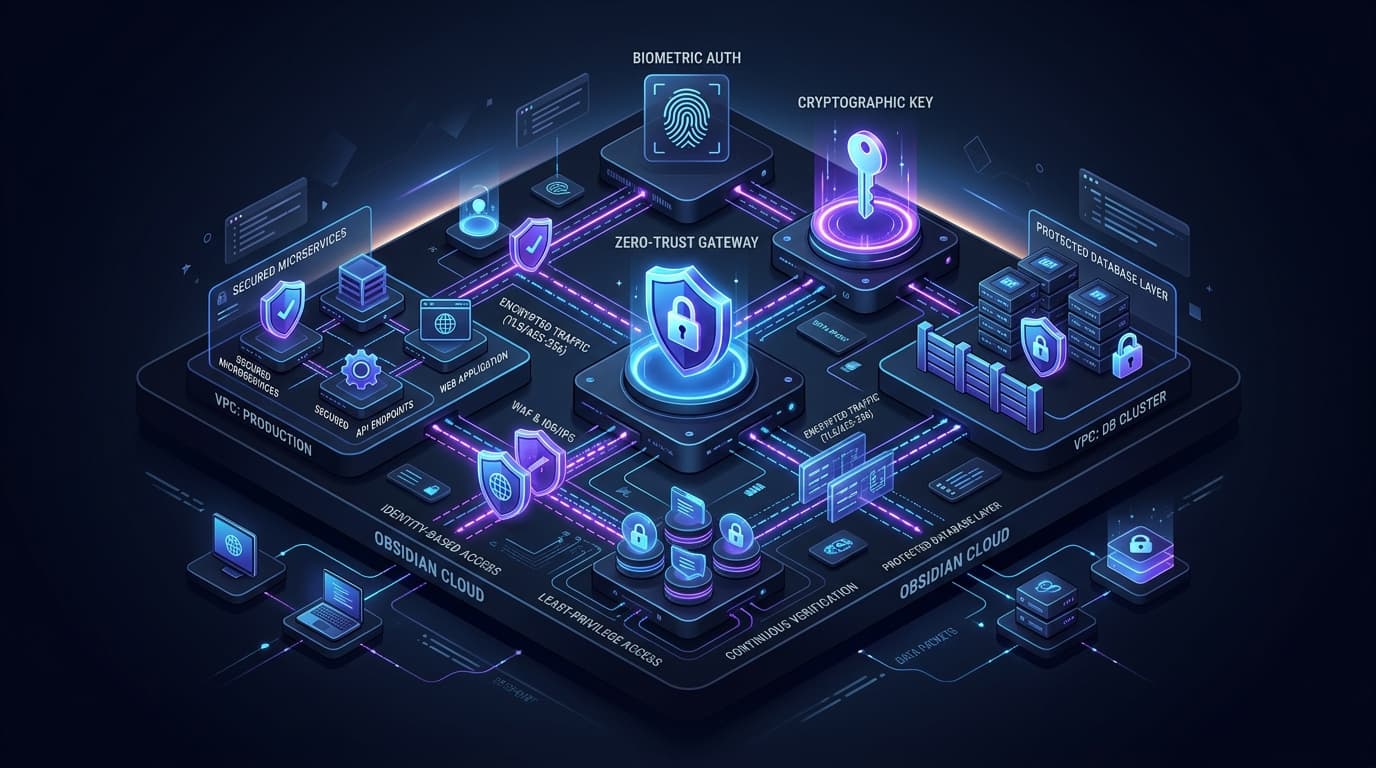
Zero-trust reverses this paradigm:
- Assume breach: Treat internal networks as potentially hostile.
- Explicit verification: Every service-to-service call must be authenticated and authorized.
- Least privilege access: Restrict permissions to the bare minimum required for a specific operation.
2. Network Isolation: Private Subnets and WireGuard Bastions
Never assign a public IP address to a database, caching node, or internal microservice.
Architecture Topology:
- Public Subnet: Holds only your Application Load Balancer (ALB) or reverse proxy with AWS WAF enabled.
- Private Subnet 1 (Application Layer): Web servers and container runtimes (ECS / EKS / EC2) with no public IPs. Inbound traffic is accepted solely from the load balancer security group. Outbound internet access runs strictly through a managed NAT Gateway.
- Private Subnet 2 (Data Layer): PostgreSQL, Redis, and message brokers reside in dedicated database subnets with zero internet route tables. Inbound connections are accepted solely from the application security group on port 5432.
- Administrative Access: For engineering maintenance, use AWS Systems Manager (SSM) Session Manager or an encrypted WireGuard bastion. Never open port 22 (SSH) to the public internet.
3. Eliminating Hardcoded Secrets with KMS and IAM Roles
One of the most dangerous anti-patterns is storing database passwords and API keys in plain-text .env files checked into source control.
Best Practice Implementation:
- Assign IAM Roles to Compute Instances: Your web servers should authenticate with AWS services (S3, SQS, SES) using temporary IAM role credentials automatically rotated by the instance metadata service. Zero long-lived AWS keys should exist on the server.
- AWS Secrets Manager with KMS Envelope Encryption: Store production database credentials, third-party webhook signing keys, and payment tokens in AWS Secrets Manager.
- Decouple Secrets from Application Code: In Go, Python, or Node.js services, fetch secrets into memory during initialization or inject them as runtime environment variables through container definitions (such as ECS task secrets).
4. Hardening REST APIs and Mitigating DDoS
An API gateway or edge reverse proxy is your first line of defense:
- Rate Limiting and Throttling: Apply token bucket rate limiting on sensitive routes (authentication, password reset, payment checkouts). Return HTTP 429 when clients exceed reasonable thresholds.
- Payload Validation: Reject oversized payloads before parsing. Validate JSON bodies against strict schemas to prevent injection attacks.
- CORS Configuration: Restrict
Access-Control-Allow-Originto your explicit production domain names. Never use wildcard*headers on endpoints handling user sessions. - Security Headers: Ensure your web server emits modern security headers:
Strict-Transport-Security: max-age=63072000; includeSubDomains; preloadX-Content-Type-Options: nosniffX-Frame-Options: DENYContent-Security-Policy: default-src 'self';
5. Automated Backups and Disaster Recovery
A zero-trust posture includes resilience against ransomware and accidental data deletion:
- Point-in-Time Recovery (PITR): Enable 35-day automated continuous backups for PostgreSQL. Test your restoration procedure once a quarter to verify that backups actually boot.
- Cross-Region S3 Replication: For critical user documents, enable bucket versioning and replicate backups to an isolated storage region or immutable object storage (such as IDrive e2 S3 with Object Lock enabled).
6. The SOC 2 Readiness Checklist for Seed-Stage Startups
If you plan to sell B2B software, enterprise buyers will require SOC 2 Type II compliance. Establish these habits early:
- Enforce Multi-Factor Authentication (MFA) with hardware keys or authenticator apps across GitHub, AWS, Google Workspace, and DNS providers.
- Maintain a centralized audit log in AWS CloudTrail with log file validation enabled.
- Require branch protection rules in GitHub: no direct commits to main, mandatory pull request reviews, and automated vulnerability scanning (Dependabot / Snyk).
Contact WasTechno’s DevOps and Security team to harden your infrastructure and prepare your cloud deployment for enterprise scale.